IDT300x
Week 1
Digital Media Checklist
In developing this checklist, I’ve had the opportunity to thoroughly examine the specific criteria for evaluating digital media for course development. It’s essential to ensure that materials are legal, accessible, and aligned with the course objectives.
By systematically checking off each criterion, I can confidently determine the overall suitability of the digital materials for the course.
Week 2
Digital Document and Checklist
Digital Document
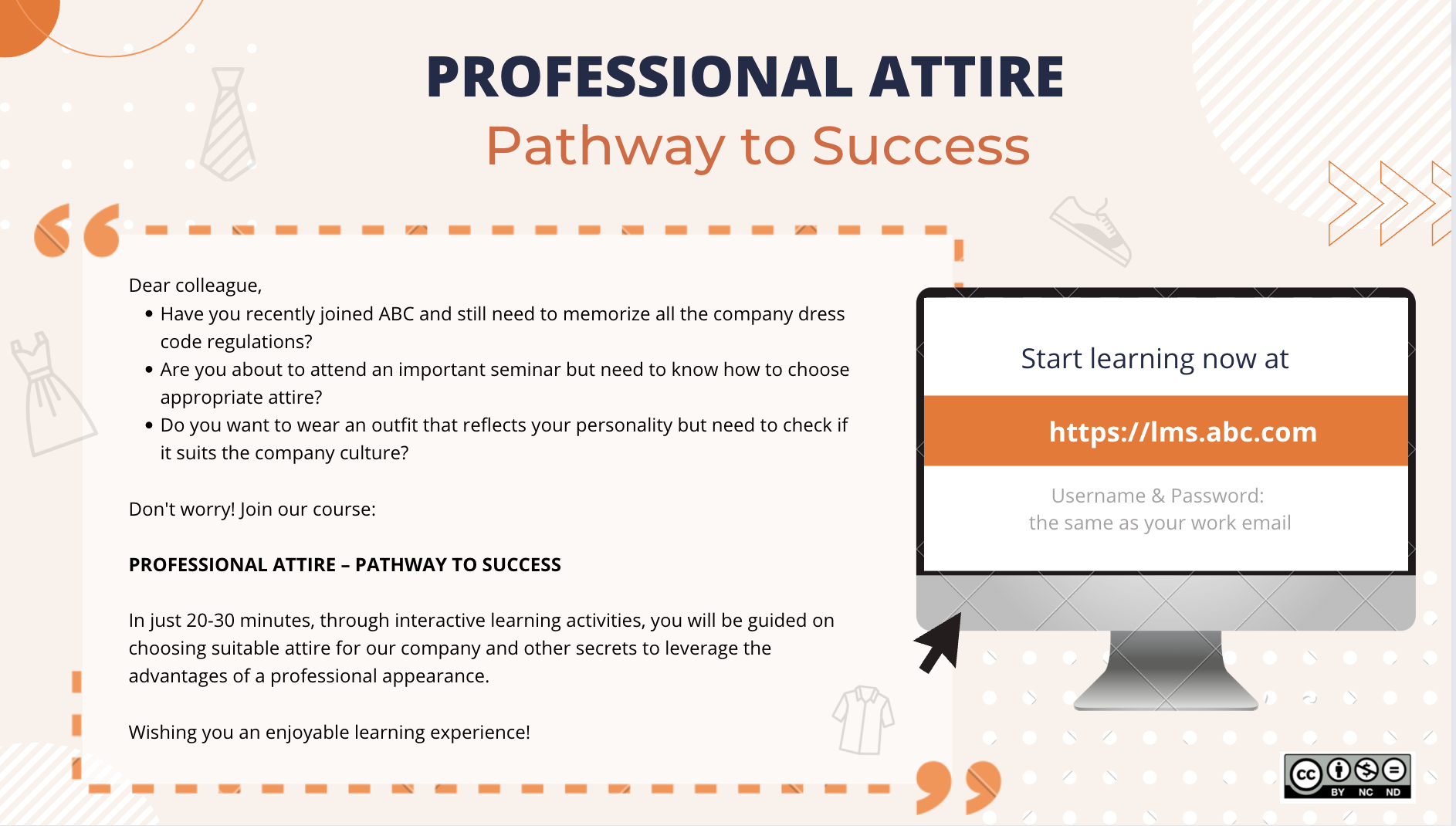
A course brochure.
PDF Checklist
w2_checklist-to-evaluate-open-education-resources-oer — Download
Reflection:
The Open Educational Resource (OER) evaluation document for the Professional Attire course provides valuable insights into the design and development process, focusing on key aspects such as learning objectives, content relevance, and instructional effectiveness. One of the primary learning objectives addressed in the course is the ability to select appropriate attire in a professional setting, catering to individuals who may be new to the company or unsure about company dress codes.
Throughout the design and development process, several lessons were learned. Firstly, it became evident that incorporating interactive learning activities, such as quizzes or scenario-based exercises, enhances engagement and comprehension among learners. Additionally, the importance of aligning the course content with the company’s culture and values was underscored, ensuring that the attire choices reflect professionalism while allowing for individual expression.
Week 3
Image & Logo
This is the logo of my portfolio. I adapted it from a free template on Canva.
w3_checklist-to-evaluate-open-education-resources-oer — Download
Reflection
The image used in the course flyer for the Professional Attire course aligns seamlessly with the learning objectives of the module by visually communicating the essence of professionalism and personal style. As part of the module, it corresponds to the learning objective of understanding the importance of appropriate attire in a professional setting and the impact it can have on individual and organizational success.
To meet digital design standards, I meticulously followed the Key Principles of Visual Design Theory, emphasizing elements like contrast, alignment, repetition, and proximity. These principles ensure that the flyer is visually appealing and easy to navigate for learners, enhancing their overall experience.
My design process centered on creating a clear and compelling call to action, urging learners to begin their learning journey immediately by utilizing the provided URL. The layout and arrangement of text and imagery were carefully crafted to draw attention to this primary objective.
The original image from Freepik was modified by incorporating text, logos, and other design elements using Canva. Alt text for the image would be described as “Course Flyer,” succinctly conveying its purpose to users who may be accessing the content with assistive technologies.
Week 4
Mini-course video
Week 5
Screencast or Animation Video
Please see the assignment here:
Làm video hoạt hình bằng công cụ Vyond – Animated Videos with Vyond

Photo by Loc Dang on Pexels.com
Week 6
Interactive Module Storyboard Draft

Photo by Vanessa Loring on Pexels.com
Week 7
Interactive Module
Photo by fauxels on Pexels.com
Please find the assignment here: https://instructionaldesignwithvan.com/interactive-onboarding/
Week 8
SIGNATURE ASSIGNMENT
1. Digital Audio
This is an independent activity. Learning objective for this activity: Learners can identify the correct de-escalation techniques they should use when dealing with conflicts.
To make this media/audio accessible to all learners, you must include a transcription file where it has been edited for correct grammar, spelling, and punctuation.
Listen to the audio
Add a short, no more than 300-word reflection about your video, addressing the following:
How does the audio file you created fit within your minicourse? Include the learning objective/instructional goal/need. Explain how the learner will interact with the audio file within the course. Reflect on the audio tool you used to create your audio file. Was it relatively easy? Challenging? What are alternatives that you may wish to try next time?